
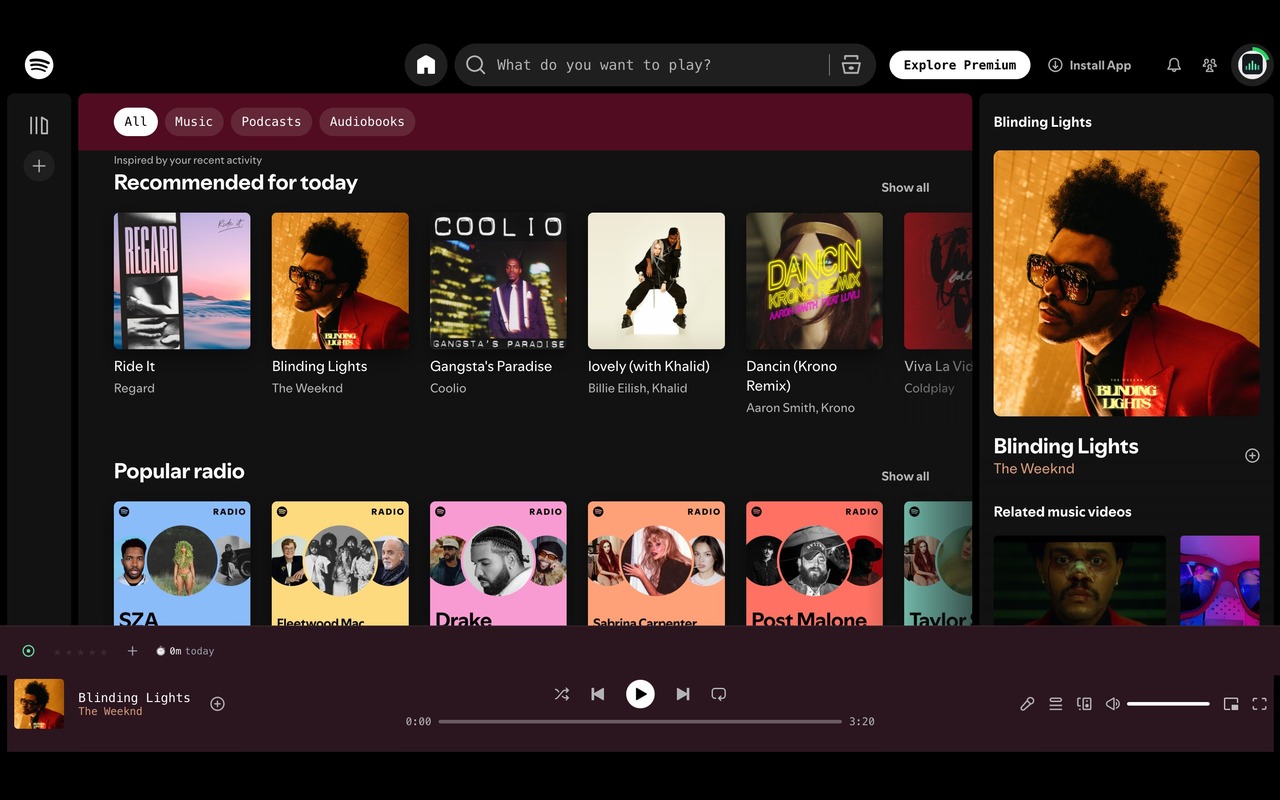
In the player
A control row under the now-playing bar
Focus mode, 5-star ratings, Play Later, and a live badge showing time listened today. Everything sits where you're already looking, rather than behind a separate menu.
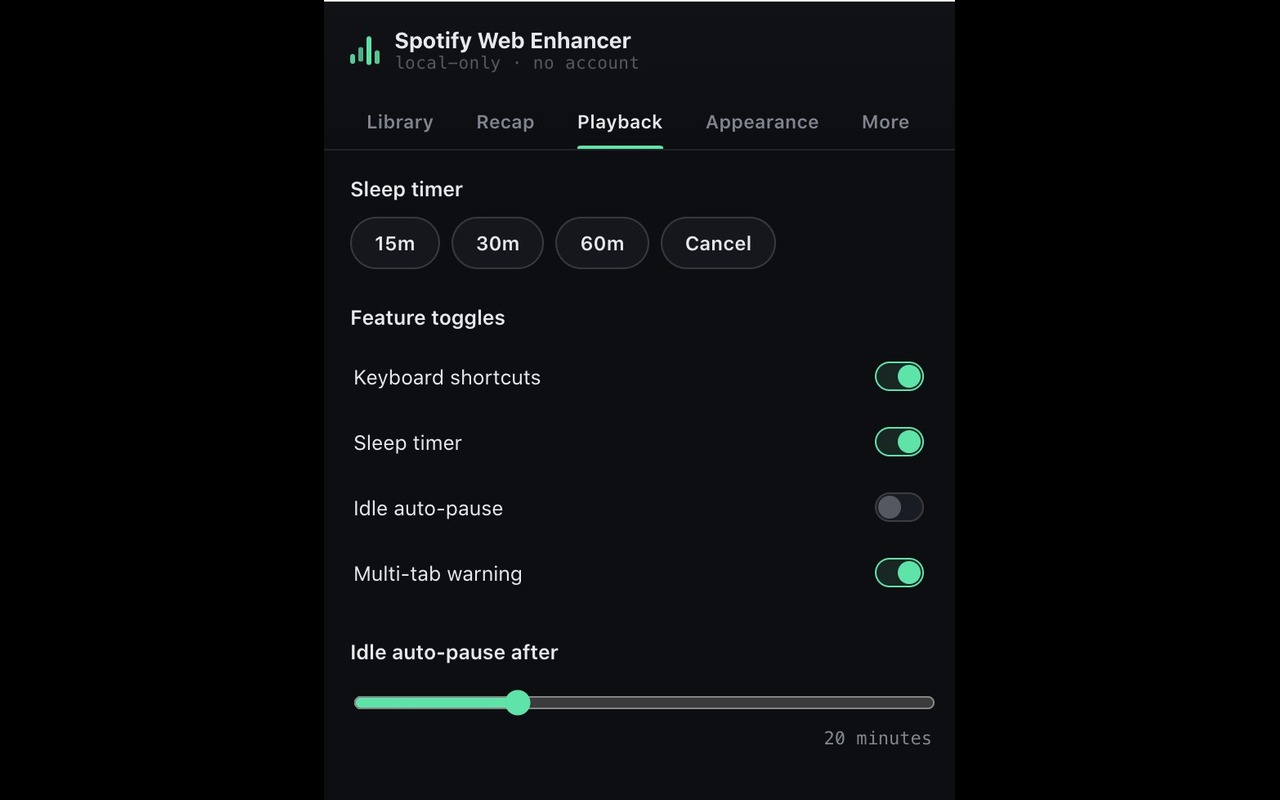
Extension popup
Sleep timer and idle pause
Set a 15, 30, or 60 minute sleep timer, or let idle auto-pause stop playback automatically after a period of inactivity. Every feature can be switched off individually.
Designed to feel like part of Spotify, not an add-on bolted to the side.
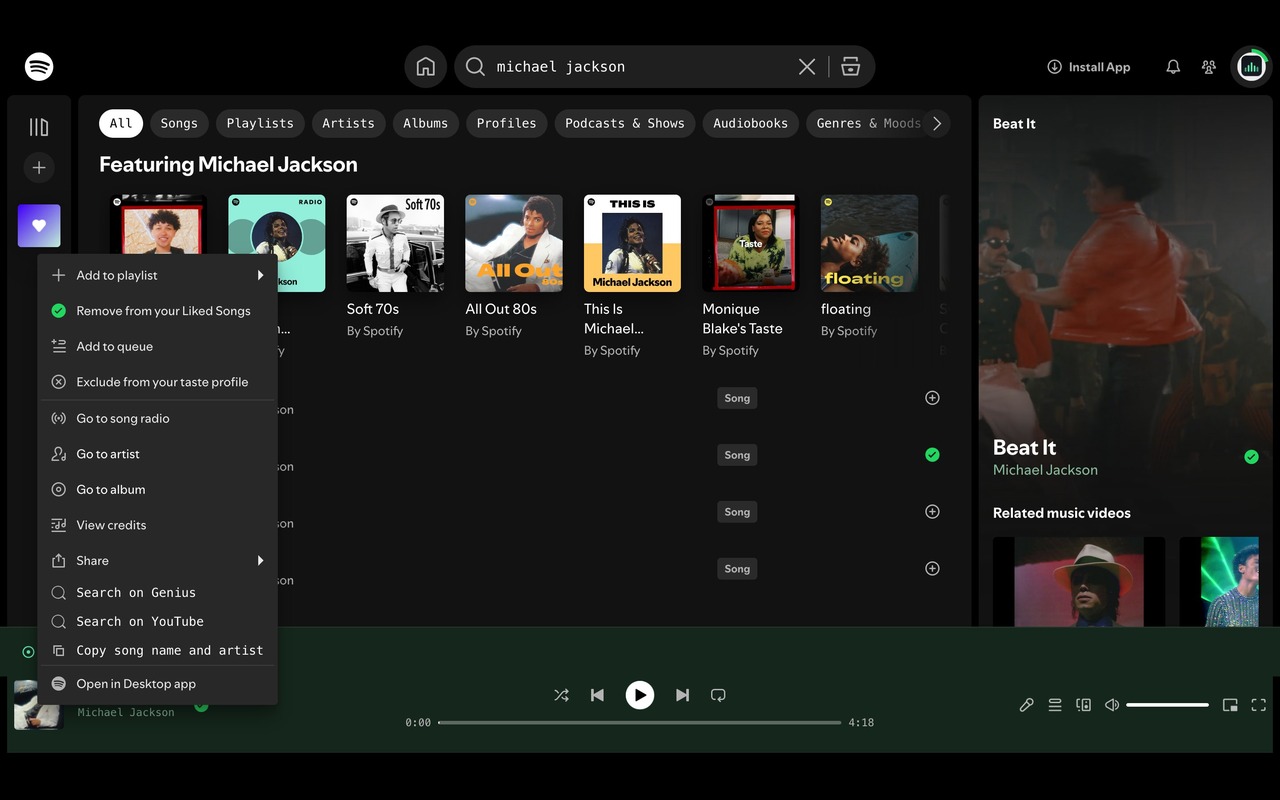
Right-click menu
New entries in Spotify's own menu
Search a track's lyrics on Genius, look it up on YouTube, or copy the song and artist as plain text. Each option is added directly into Spotify's existing right-click menu.
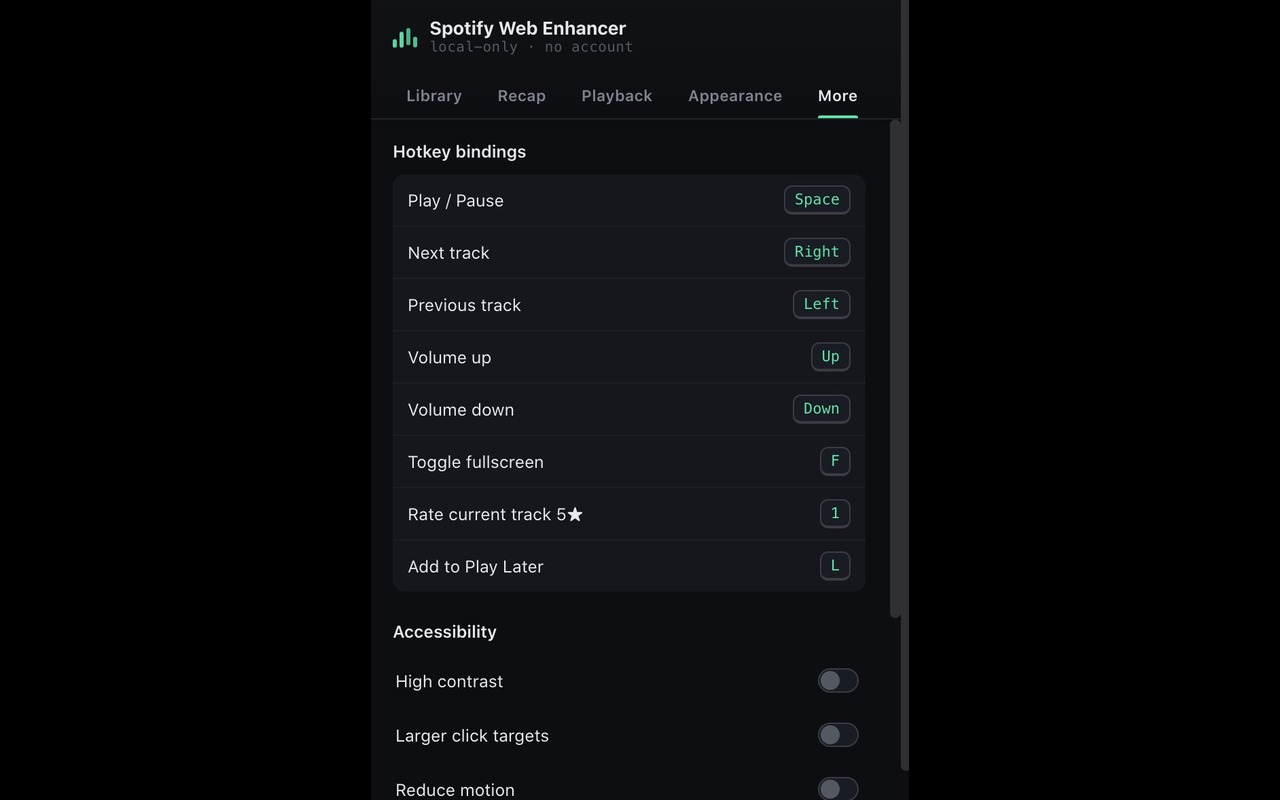
Keyboard and accessibility
Shortcuts for play, skip, volume, and more
Play or pause, skip, adjust volume, and toggle fullscreen, all from the keyboard. High contrast, larger click targets, and reduced motion are available for anyone who needs them.
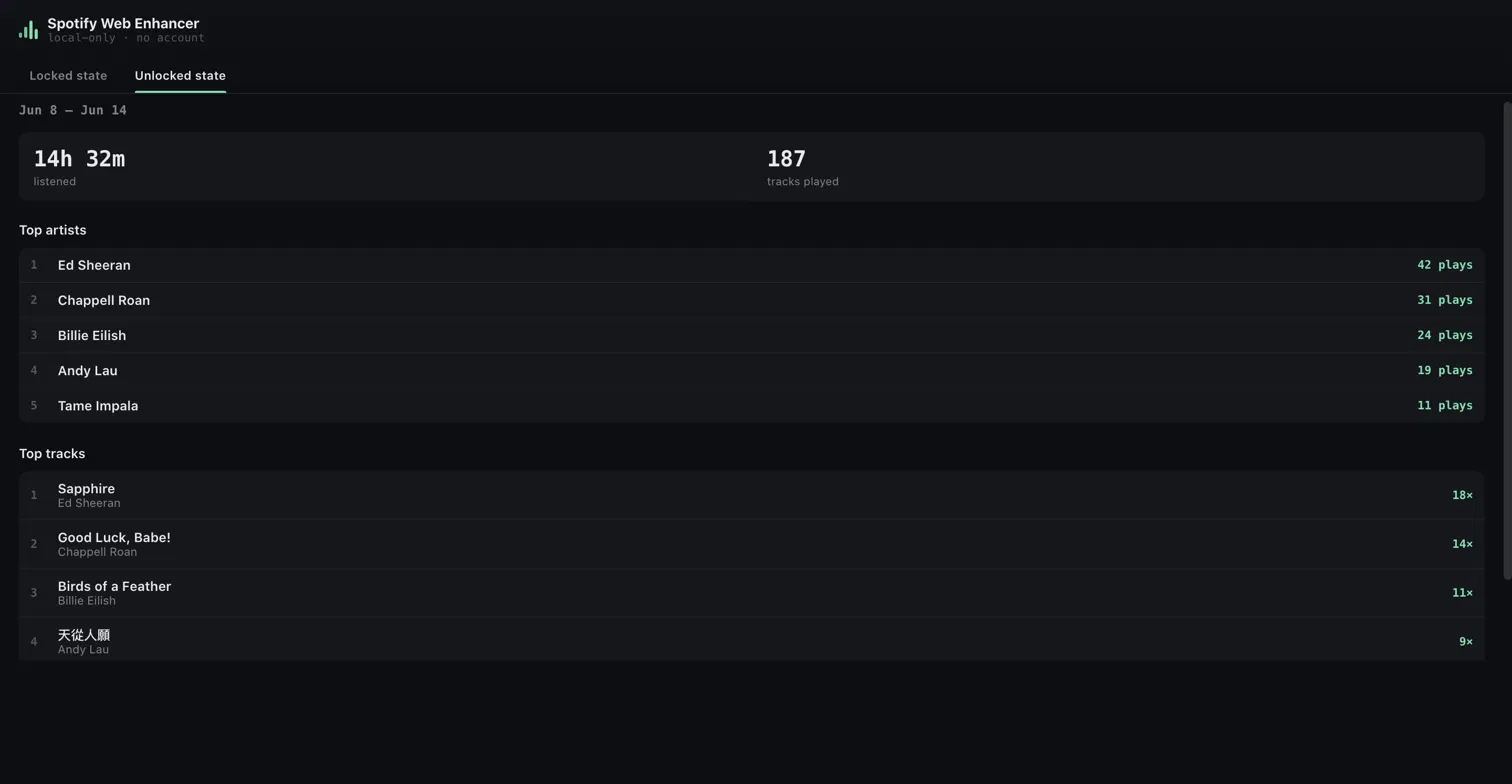
Weekly recap
A wrapped-style summary, every week
See total time listened, plays, and your top artists and tracks for the week, right in the extension. No waiting for an annual recap, no account or data leaving your browser.